Flag Football Player Stats — What to Track
A parent and coach's guide to tracking individual player stats in flag football. Learn which stats matter, how they're recorded, and how Stathlon automates the box score.
Why Track Individual Stats?
Team scores tell you who won. Player stats tell you who grew. In youth flag football, tracking individual performance helps coaches spot development, gives players concrete goals, and gives parents something specific to celebrate after the game.
The challenge: most volunteer scorekeepers are already busy tracking the score, downs, and possession. Adding per-player stats on top of that feels like too much — unless the tool does most of the work for you.
The Stats That Matter in Flag Football
Not every NFL stat translates to flag football. Here's what's worth tracking in a youth league, and what you can safely skip.
Passing Stats
| Stat | What it measures | Why it matters |
|---|---|---|
| Pass Attempts | Every time the QB throws | Volume — is the offense pass-heavy? |
| Completions | Caught passes | Accuracy — completion percentage is the key QB metric |
| Passing Touchdowns | TD passes thrown | The headline number for QBs |
| Interceptions Thrown | Picks by the defense | Decision-making — high INT rate means risky throws |
A completion that results in a touchdown counts as both a completion AND a passing TD. The receiver gets credit for a reception AND a receiving touchdown on the same play.
Receiving Stats
| Stat | What it measures | Why it matters |
|---|---|---|
| Receptions | Catches | Involvement — who's getting targeted? |
| Receiving Touchdowns | TD catches | The headline number for receivers |
Rushing Stats
| Stat | What it measures | Why it matters |
|---|---|---|
| Rushing Touchdowns | TDs scored on run plays | Identifies dual-threat players |
In most flag football leagues, yards aren't tracked (no chains, no first-down markers in some formats). Stathlon intentionally skips yardage to keep scoring fast — you'll see TD counts, not carry totals.
Defensive Stats
| Stat | What it measures | Why it matters |
|---|---|---|
| Interceptions | Picks made by a defender | The most impactful defensive play in flag football |
| Defensive Touchdowns | Pick-6 returns | The highlight reel play |
Sacks and fumbles are rare in flag football (no contact, no fumble rules in most leagues). Stathlon tracks flag pulls implicitly through turnovers and interceptions.
How Stathlon Tracks Stats Automatically
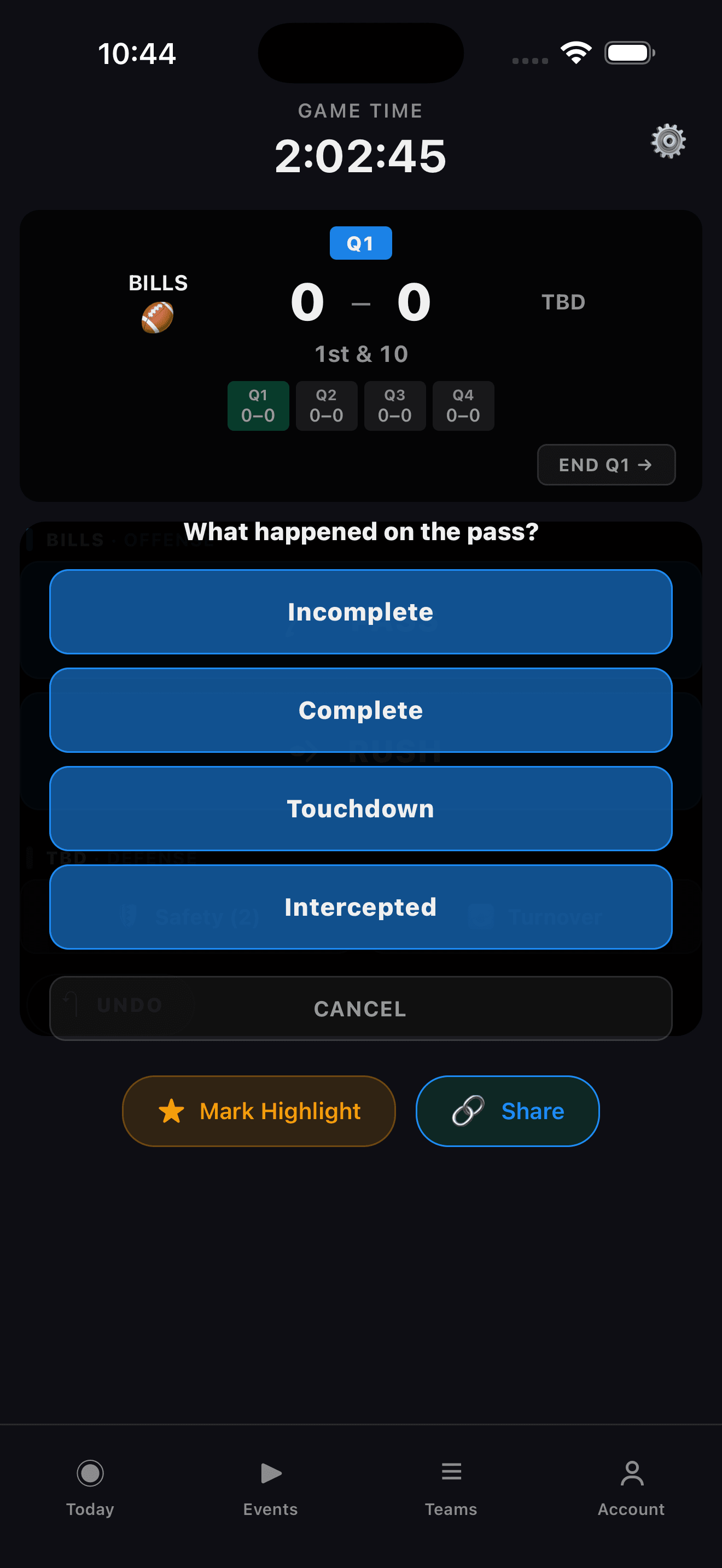
Every play in Stathlon starts with a tap: PASS or RUSH. From there, the app walks you through the outcome:
- PASS → Pick the QB → What happened? (Complete / Incomplete / Intercepted) → If complete, pick the receiver → Result? (Just a play / First Down / Touchdown)
- RUSH → What happened? (Just a play / First Down / Touchdown) → Pick the runner (if TD)
The box score fills in automatically. At the end of the game, every player's stat line is ready to share — no spreadsheet, no manual tallying.
Try It Yourself
Want to see how the scoring flow works? Try the interactive flag football scoring demo — it runs in your browser and mirrors the exact flow from the iOS app.
What About Stats Stathlon Doesn't Track?
Some stats are intentionally left out:
- Yards — Most youth flag leagues don't use chains. Without yard markers, tracking carry/receiving yards adds complexity with low accuracy.
- Sacks — No contact in flag football means sacks are rare and inconsistently defined.
- Penalties — Logged as events but not attributed to individual players (the ref calls them, not the scorekeeper).
These may be added in future versions as flag football leagues standardize their stat tracking.
Ready to put this into practice?
Stathlon lets you score flag football games with a tap — touchdowns, PAT choices, safeties, and full quarter tracking. All from your phone.
Continue Reading
Flag Football Positions & Roles Explained
A beginner's guide to flag football positions — quarterback, receivers, center, rushers, and defenders. What each role does and how it affects scoring and stats.
Flag Football Scoring Rules
How scoring works in flag football — touchdowns, extra point attempts, safeties, and the key differences from tackle football.
How to Keep Score at a Flag Football Game
A practical, step-by-step guide for first-time flag football scorekeepers. Pre-game prep, during the game, the PAT moment, and what to do between quarters.